
GitHub Desktop
Read our comprehensive review of GitHub Desktop for Linux, the ultimate GUI tool to simplify your Git version control and collaborative workflows.
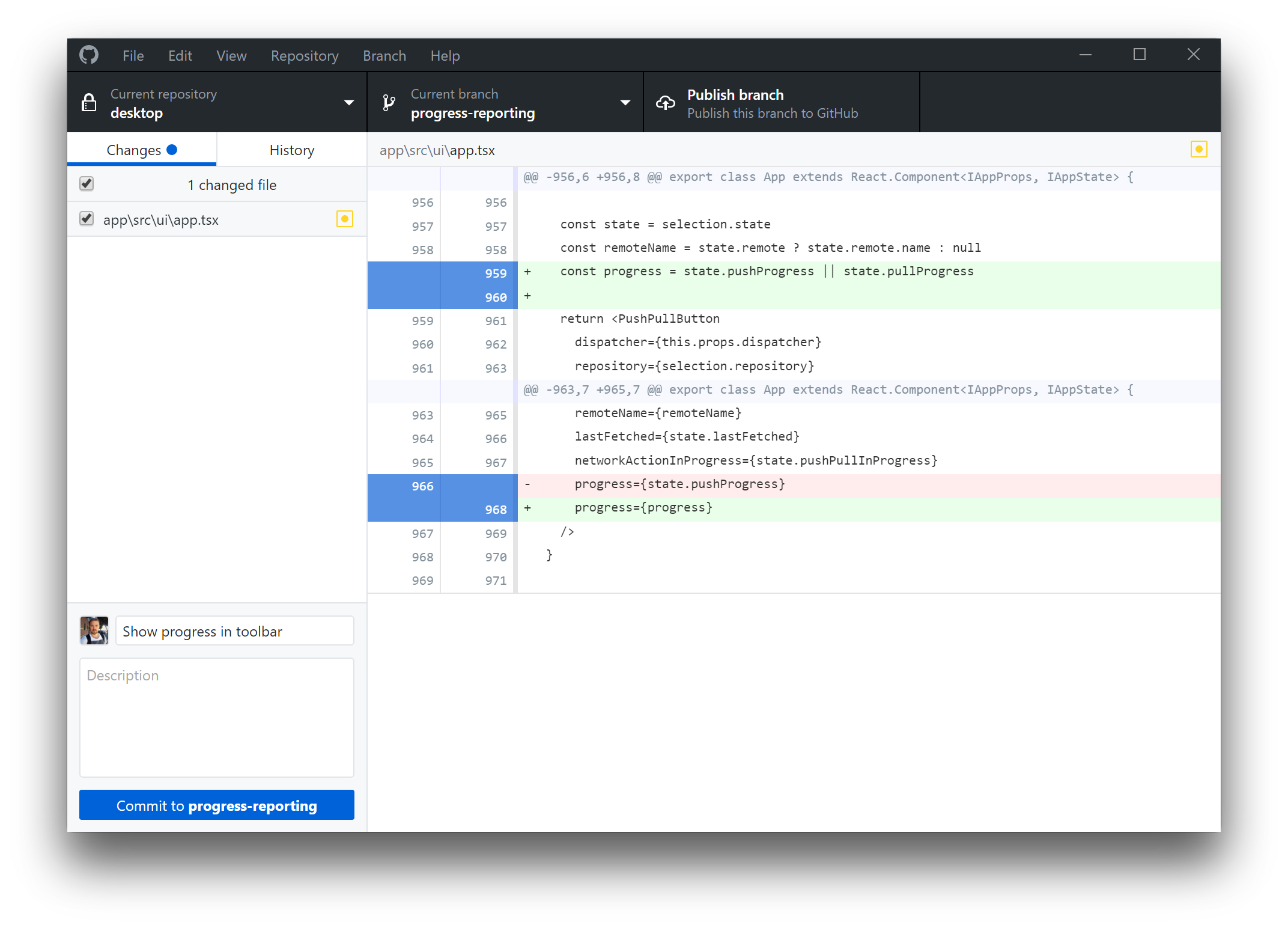
Managing version control shouldn't feel like a constant battle with command-line syntax. GitHub Desktop Git client offers Linux users a seamless, visual way to manage repositories, collaborate on code, and streamline daily development tasks without relying solely on the terminal.
Streamlined Version Control with GitHub Desktop Git Client
For developers who want to focus on writing code rather than remembering complex Git commands, this application acts as a powerful bridge. While the official client has historically favored other platforms, this community-supported Linux fork brings the full, polished experience to open-source environments. It translates complex branching, merging, and committing actions into an intuitive graphical interface.
Key Features for Enhanced Collaboration
- Effortless Commit Attribution: Keep your team dynamics transparent. You can quickly add co-authors to your commits, ensuring that collaborators and pair-programmers receive proper credit visible directly on GitHub.
- Seamless Pull Request Integration: View all open pull requests for your repositories directly within the application. You can check them out as local branches—even if they originate from upstream forks—and monitor their CI build statuses instantly.
- Advanced Visual Diffs: Reviewing code changes is highly intuitive with syntax-highlighted diffs across numerous programming languages. Additionally, the expanded image diff tools let you easily compare visual assets using swipe, fade, or side-by-side comparison modes.
- Deep System Integrations: The software functions as a launchpad for your daily work, offering native integrations that let you jump straight into your favorite code editor or terminal shell and back again.
Who Is This Git GUI For?
Whether you are a seasoned software engineer looking to speed up your pull request reviews or a newcomer to version control who feels intimidated by the command line, this tool bridges the gap. By packaging advanced Git capabilities into a clean, modern interface, it helps development teams maintain clean histories and robust collaboration pipelines on Linux desktops.
How to Get Started
Ready to elevate your development experience? While we do not host installation packages on our site, you can securely access the official build and read comprehensive setup guides directly on the Flathub store page.