

Usage - Device Monitor
Discover how Usage - Device Monitor helps you track Mac system performance, RAM, network, and battery health in our comprehensive editorial review.
A New Standard in Mac System Tracking
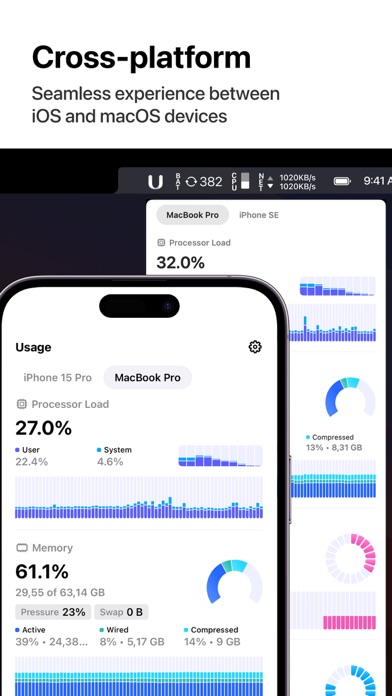
Many system monitors clutter your screen with messy data, but Usage - Device Monitor stands out by combining deep diagnostic power with an exceptionally clean, customizable aesthetic. Developed by Oleh Stasula, this lightweight utility is designed specifically for macOS users who need real-time clarity on how their hardware is performing without sacrificing system resources or design elegance.
Core Diagnostics: What Can You Track?
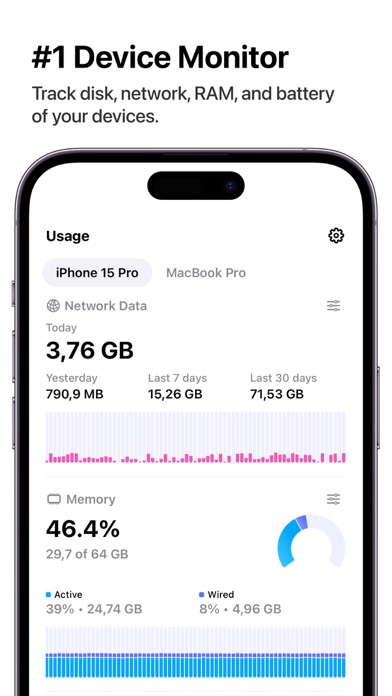
The strength of Usage - Device Monitor lies in its structured, modular approach to tracking system health. It breaks down your hardware activity into four primary pillars:
- Disk Space Analytics: Monitor your storage limits closely with a clean, comprehensive historical graph that highlights changes over time.
- Memory Allocation: Keep tabs on active RAM usage through intuitive tabs that show exactly how your system memory is being utilized.
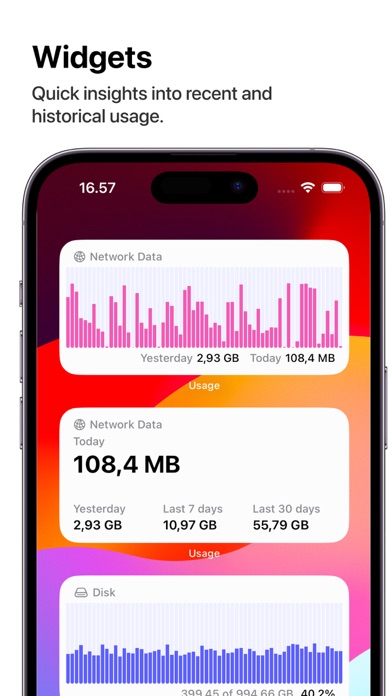
- Network Performance: Track network activity and data transfer rates in real-time to spot bandwidth hogs instantly.
- Battery Insights: Review your current charge levels and monitor battery drain trends over extended periods.
Highly Customizable Widgets and Layouts
Instead of forcing a one-size-fits-all interface, this application offers extensive customization. You can modify graph types, choose specific color schemes, and adjust refresh rates to suit your workflow. Furthermore, beautifully designed widgets bring these live diagnostics directly to your desktop or notification center, giving you instant insights at a glance.
For power users working across multiple Mac devices, the integrated iCloud sync ensures your custom configurations and historical data remain perfectly aligned across your hardware ecosystem. Most importantly, the developer prioritizes user privacy, ensuring your diagnostic data remains strictly local and is never shared or tracked.
Maximize Your Hardware Efficiency
Whether you are trying to find out why your system is running hot or simply want to optimize your daily memory usage, this utility offers the transparency you need. To explore its features, configure custom widgets, or upgrade to the Pro tier for deeper historical insights, head over to the official Mac App Store to get started.